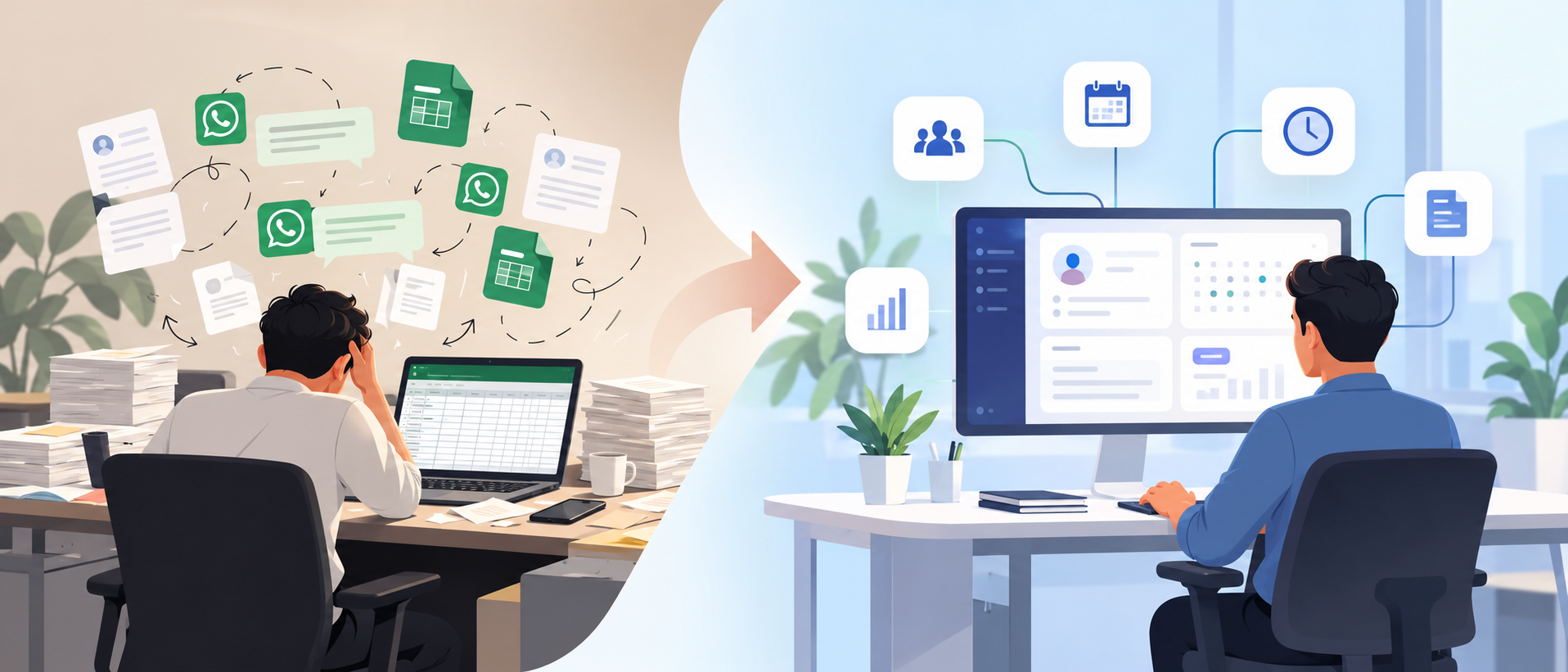
Replacing Excel and WhatsApp does not mean finding a more complicated spreadsheet or moving every company conversation into an ERP.
The real goal is to create a single, connected operating system for the business, where information is entered once, follows a defined workflow, reaches the people who need it, and leaves a reliable record behind.
That does not mean every small company needs custom software.
Excel can remain perfectly reasonable for a small business with simple processes. WhatsApp can still be useful for communication. The problem begins when they become your database, approval system, attendance record, recruitment history, payroll input and management reporting system at the same time.
When maintaining the system of record becomes work in itself, the spreadsheet has stopped being a tool and has become part of the operational problem.
At Bridge Homies, one of the recurring patterns we have encountered while discussing and designing operational systems is not simply "too much Excel." It is the same business fact existing in multiple places.
Attendance may be inside a biometric export. Leave approval may be inside WhatsApp. Employee information may live in Excel. Payroll may be calculated in another sheet.
Nothing appears completely broken until those systems have to agree. Usually, that happens at month-end.
Why Excel and WhatsApp Work at the Beginning
Excel is flexible. WhatsApp is fast. That combination is exactly why small businesses naturally start with them.
A ten-person company does not necessarily need an HR platform just to record who works there. A basic employee spreadsheet can be perfectly adequate. Leave might happen infrequently enough that the manager simply remembers what was approved. There is little reason to introduce a large ERP simply for the sake of appearing more digital.
The problem is that informal systems scale differently from the company using them. Imagine a business with one administrator, fixed salaries and everyone working from the same office. Attendance, leave and payroll may still be manageable manually. Now change the conditions:
- Some employees work remotely
- Some work shifts
- A biometric machine records office attendance
- Different managers approve leave
- Payroll contains deductions or variable components
- Recruitment is active
- Employees regularly join and leave
- Finance needs information from payroll
- Management wants reports without waiting for HR to prepare them
The number of employees might not even be dramatically higher. The number of relationships between processes is. That is why employee count alone is a poor measure of whether a company has outgrown spreadsheets.
A 50-person company with simple office hours and fixed salaries may operate reasonably well with structured spreadsheets. A 20-person business with field workers, shifts, commissions, remote attendance and multiple approval levels may already be struggling.
The better equation is:
Workflow complexity + workflow frequency + cost of errors
That is what determines whether manual operations remain practical.
10 Signs Your Company Is Outgrowing Excel and WhatsApp
The clearest warning signs are operational rather than technical.
1. The same information is entered more than once
An employee submits leave. HR records it. Attendance is later corrected. Payroll records its financial effect. Finance receives another value. One event has now become four or five separate pieces of data. Every additional entry introduces another opportunity for disagreement.
2. Different people maintain different versions of the truth
There is an HR employee sheet. Then there is the payroll employee sheet. Then perhaps another file maintained by management. Soon the question is no longer "What is Ali's salary?" It becomes "Which sheet has Ali's current salary?" That is a systems problem.
3. Payroll starts with reconciliation rather than payroll
One recurring pattern we have seen is attendance stored in a biometric system while leave and exceptions are approved elsewhere. At month-end, HR has to work backwards through:
- Biometric attendance
- Leave sheets
- WhatsApp messages
- Remote-work messages
- Late-arrival exceptions
- Employee records
Only after those sources agree can payroll actually begin.
4. Managers approve operational decisions in chat
A message saying "approved" may solve the immediate problem. It does not automatically tell the attendance system, update a leave balance, create a reliable audit history or inform payroll. Someone still has to transfer that decision into another system.
5. Employees repeatedly ask HR for information
"How many leaves do I have?" "Was my attendance corrected?" "Can you send my payslip?" "Was my leave approved?" At that point HR becomes a human API connecting employees with information that already exists somewhere inside the company. Employee self-service can remove much of this unnecessary information routing.
6. Biometric data requires manual cleaning every month
A biometric device tells you what the machine recorded. It does not necessarily tell you what actually happened operationally. An apparent absence could mean:
- Approved leave
- Remote work
- Field work
- Official travel
- A forgotten check-in
- A biometric failure
Raw attendance therefore should not automatically become a salary deduction.
7. Recruitment history disappears into inboxes and chats
CVs might arrive from job portals, WhatsApp and email. Interview comments sit in private chats. Another spreadsheet contains shortlisted candidates. Then somebody gets hired and HR recreates the same person from scratch in the employee sheet. You have lost the connection between candidate and employee before their first day.
8. Employee offboarding depends on somebody remembering every step
When someone leaves, you may need to remove system access, disable attendance, stop future payroll, calculate balances, reassign tasks and preserve historical records. If those actions depend entirely on somebody remembering them, the company does not really have an offboarding workflow. It has an offboarding checklist living in somebody's head.
9. Management cannot answer questions without requesting a report
Operational information technically exists, but nobody can see it. Management asks HR. HR updates Excel. Finance sends another number. Someone reconciles them. Information that requires repeated manual preparation is not truly available in real time.
10. Nobody can answer: "Who changed this, and when?"
This becomes especially important around payroll, salary changes, attendance adjustments, finance and permissions. For systems containing sensitive employee and financial information, permissions should be deliberately designed rather than handled informally.
The National Institute of Standards and Technology's guidance on role-based access control describes assigning permitted actions to roles rather than individually to every user. That works well for operational software because HR, managers, finance staff and ordinary employees should not all receive the same access.
A related concept is the principle of least privilege: users and systems should receive only the access necessary to perform their assigned functions.
When Should You Keep Using Excel?
Sometimes replacing Excel is unnecessary. If your company has:
- A small team
- One location
- Straightforward salaries
- Simple attendance
- Few hires and departures
- Limited approval complexity
- One person reliably controlling operational data
then a well-designed spreadsheet may still do the job. Even a company with 20 or 30 employees should not automatically commission custom software development. Buying or building software creates its own work: implementation, configuration, training, migration, permissions, support and change management.
The correct question is not "How many employees do we have?" It is "How much work are we doing just to keep our operational information consistent?"
Before Buying Software, Map How Work Actually Happens
One of the most expensive mistakes in an ERP, HRCM or operational-software project is beginning with a feature list: "We need payroll." "We need attendance." "We need recruitment." "We need finance." Those statements describe modules. They do not describe how the company operates.
At Bridge Homies, the more useful starting question is:
How does information move through the company?
This is also why we recommend companies map the workflow before automating it rather than starting with a list of software products. We can formalise that process into six stages.
1. Observe
First, understand the existing operation. Collect examples of the things the company actually uses:
- Excel and Google Sheets files
- Forms
- Biometric exports
- Invoices
- WhatsApp approval flows
- Existing software
- Reports
- Policies
Talk to management, but do not stop there. Owners often know how a process is supposed to work. HR, accounts and operations usually know how it actually works.
2. Map
For every important workflow, identify: Actor → trigger → data → approval → business rule → exception → final output. For example: Employee → leave request → manager approval → HR policy → attendance → payroll. Now you can see dependencies rather than isolated modules.
3. Separate Master Data From Transactions
This distinction has major consequences later. Master data might include: employee, department, designation, shift, salary structure, leave policy, customer and vendor. Transactions might include: attendance events, leave requests, payroll runs, invoices, payments, expenses and tasks. If the underlying relationships are poorly designed, the software becomes difficult to maintain regardless of how attractive the interface is.
4. Find Duplicate Work
Ask one simple question:
Where is the same information being typed twice?
This often exposes the strongest automation opportunities. If a candidate becomes an employee, why recreate their profile? If approved leave affects attendance, why make HR enter it again? If payroll is approved, why manually recreate its financial impact?
5. Prioritise
Not every manual process deserves software immediately. Look at factors such as frequency, manual effort, financial risk, error impact and dependency on other workflows. A process happening a thousand times per month should usually receive different priority from one that happens twice a year.
6. Design Before Automating
Only after the workflow is understood should the project move into areas such as workflow diagrams, role permissions, requirements, prototypes, database relationships, integrations and implementation phases. The principle is simple:
Do not automate your current mess faster. Decide how the process should work first.
We have seen the same principle recur across broader SaaS projects. Many common automation mistakes come from automating before the underlying process, ownership and exceptions are properly defined.
Which Company Systems Should Be Connected?
The biggest improvement rarely comes from one individual module. It comes from removing the gaps between them. Consider people operations.
Recruitment → Employee Record
When a candidate is hired, their approved recruitment profile should become the foundation of their employee record. There is no reason to manually recreate basic information the company already possesses. Rejected candidates remain recruitment records. Successful candidates enter the employee lifecycle. One transition, one source of information.
Employee Record → Attendance
Attendance needs context. The employee record may define employment status, department, location, manager and shift. Attendance events should refer to that master record rather than creating another employee identity.
Biometric Attendance + Remote Attendance → One Attendance Record
A biometric machine and a remote check-in system are inputs. They should not become separate versions of reality. Both should feed a common attendance workflow where exceptions can be resolved.
Attendance + Leave → Payroll
This is where connection becomes valuable — but also where careless automation becomes dangerous. An absence should not automatically equal a salary deduction. There may be approved paid leave, field work, travel, biometric failure or another valid exception. A safer flow is:
Attendance event → exceptions resolved → attendance finalised → payroll calculation → payroll approval
Software can perform the calculation. A responsible person approves the financially consequential result.
Payroll → Finance
After payroll has been reviewed and approved, its financial effect can flow into the company's accounting process. Again, the order matters. You do not want bad attendance data automatically producing payroll errors and then automatically producing accounting entries.
Employee Offboarding → Multiple Systems
Employee departure is another good example of why connected systems matter. A confirmed departure might trigger actions around attendance access, payroll status, leave settlement, open tasks, application access and final settlement. Historical data, however, should not simply disappear.
Employment records can contain personal data, payroll information, interview notes and other sensitive material. Organisations should establish retention, accuracy, access and security rules appropriate to the laws that apply to them. For example, the UK's Information Commissioner's Office guidance on keeping employment records discusses data minimisation, accuracy, retention, security, authorised access and accountability for worker information. The exact requirements vary by jurisdiction, so businesses should follow the laws and regulators applicable to where they operate.
The Rule We Use: Automate Data Movement Aggressively, Decisions Cautiously
Some processes should connect automatically. Some decisions should deliberately remain human. Software is excellent at:
- Transferring approved data
- Calculating values according to defined rules
- Updating dependent records
- Generating reports
- Identifying exceptions
- Notifying the right person
Be more careful around actions such as:
- Salary changes
- Payroll finalisation
- Employee termination
- Financial posting
- Large expenses
- Sensitive permission changes
- Unusual attendance adjustments
This is especially important when errors have financial, legal or employee-relations consequences. The objective is not zero human involvement. The objective is to remove low-value manual work while placing human judgment at the right points.
Build vs Buy vs Integrate: Which Should You Choose?
Replacing Excel does not automatically mean building custom software. There are four realistic options: keep structured spreadsheets, buy existing SaaS, integrate several products, or build/customise a platform. Here is a practical way to think about it.
| Situation | Likely direction | Why |
|---|---|---|
| 25 employees, one office, simple HR and fixed salaries | Excel or affordable HR SaaS | Custom development may create more complexity than value |
| 80 employees, biometric attendance, remote staff, payroll complexity and active recruitment | Connected HR/HRCM platform | Multiple workflows now depend on the same employee data |
| 180 employees, several locations, complex approvals and branch-specific policies | Configurable ERP/HRCM, integrations or custom software | Permissions, integrations and workflow differences begin compounding |
These are examples, not employee-count rules. A better decision framework evaluates seven things.
- Workflow Complexity — this matters more than headcount
- Integration Requirements — do you need biometric devices, finance systems, APIs, banking software, email or other systems to exchange data?
- Cost of Mistakes — a payroll error has a different impact from forgetting to update an internal task
- Frequency — daily and weekly workflows often create more automation value than rare processes
- Existing Software Fit — do not rebuild something just because custom development sounds attractive; if an affordable product already represents your workflows well, buy it
- Future Growth — avoid implementing something today that you already know will require a complete migration when the company reaches its next stage
- Ownership and Control — some businesses genuinely need control over deployment, data, integrations and unusual business logic; others do not
Custom software should solve an actual operational constraint, not satisfy a preference for having custom software.
How to Migrate From Excel and WhatsApp Without Breaking Operations
Migration is not mainly an import problem. It is a truth problem. Consider three rows: Muhammad Ahmed, Muhammad Ahmad, M. Ahmad. Are there three employees? Or one employee entered three different ways?
Real operational data can also contain:
- Duplicate employee IDs
- Inconsistent departments
- Missing information
- Inactive employees marked active
- Attendance records that no longer map cleanly to employees
- Leave balances nobody fully trusts
- Undocumented spreadsheet formulas
- Inconsistent salary structures
Uploading that data faster does not improve it.
Step 1: Define the Canonical Structure
Before importing employees, agree on the official department list. Otherwise "Software," "Software Department," "Development" and "Dev Team" might all become separate departments even though they mean the same thing. Do the same for designations, locations, shifts, policies and other master data.
Step 2: Deduplicate With Reliable Identifiers
Names alone are weak identifiers. Use stable identifiers where appropriate and lawful, such as employee IDs, company email addresses or another verified unique identifier.
Step 3: Give Data a Confidence Level
Not every historical record deserves equal trust. A useful classification is: Verified, Needs review, Incomplete/unknown. This prevents uncertain historical data from silently becoming the new system's official truth.
Step 4: Reconcile Opening Balances
Leave balances and financial opening values should normally receive explicit human verification. Once the new platform goes live, these numbers become the starting point for future calculations.
Step 5: Test the Migration
Import into a staging environment first. Generate reports. Compare employee counts. Compare balances. Test key workflows. Resolve discrepancies. Then move to production.
Step 6: Do Not Migrate Data Just Because It Exists
You may need active employees, current balances and a useful period of historical attendance or payroll. That does not mean ten years of low-quality Excel files necessarily deserve to become live application records. Sometimes the better solution is:
Migrate what is operationally necessary and archive the rest.
Retention decisions should reflect applicable legal, regulatory and business requirements rather than an assumption that every old row belongs in the new database.
A Staged Migration Plan for a 20–200 Employee Company
A common mistake is trying to make attendance, payroll, recruitment, tasks, finance and invoicing all go live on the same Monday. A staged rollout is safer.
Phase 1: Establish the Foundation
Start with:
- Employee master data
- Departments
- Designations
- Reporting structures
- Roles and permissions
- Leave and attendance policies
Appoint an internal system owner. This person does not need to be technical. They need authority over policies, exceptions, data quality and adoption. For permissions, design around actual responsibilities and the least access each role needs instead of simply giving managers broad access because of their job title.
Phase 2: Employee Self-Service, Leave and Attendance
Give employees and managers a structured way to perform frequent actions, such as:
- Profile information
- Leave requests
- Leave approvals
- Attendance visibility
- Remote check-in/out
- Attendance correction requests
This can quickly expose whether the new workflow matches how the business really operates.
Phase 3: Stabilise Attendance Before Payroll
Do not connect raw biometric attendance directly to salary calculations on day one. Run the attendance process. Resolve edge cases. Define who owns corrections. Make managers accountable for unresolved anomalies. Only once the company trusts its final attendance record should payroll start consuming it.
Phase 4: Run Payroll in Parallel
For initial payroll cycles, compare the new system's results with the company's existing process. Investigate differences. Do not interpret every difference as a software bug — sometimes the new system exposes a spreadsheet assumption nobody had documented. Only after validation should the company treat the new process as authoritative.
Phase 5: Add Recruitment, Tasks and Wider Workflows
Once the employee lifecycle is stable, recruitment can flow into employee onboarding and active employees can flow into task ownership and reporting structures.
Phase 6: Connect Finance and Other Systems
Financial posting, invoicing, expenses and external integrations should be connected only after upstream data is reliable. The sequence matters because downstream automation magnifies upstream mistakes.
What Makes an ERP or HRCM Implementation Fail Even When the Software Works?
Technically correct software can still fail operationally. Here are some of the reasons.
Digitising a Broken Process
If the current process contains five unnecessary approvals, software can make five unnecessary approvals happen faster. It does not make them necessary. Implementation is an opportunity to question the process.
Keeping WhatsApp as the Real Approval System
Imagine implementing leave-management software but managers still reply "approved" in WhatsApp. HR now has to transfer the approval into the system. You have not removed fragmentation — you have added another place to maintain. WhatsApp can remain a communication channel without remaining the official system of record.
Automating Payroll Too Early
This deserves special attention. If attendance is unreliable and payroll automatically consumes attendance, you have not automated payroll — you have automated payroll mistakes. Stabilise the upstream process first.
Having No Internal System Owner
Software teams can configure rules. They cannot permanently own a client's policies. Someone inside the organisation must be accountable for permissions, policy decisions, exceptions, data quality and adoption.
Reproducing Every Old Spreadsheet Habit
One of the most dangerous requirements is: "Can you make the new system work exactly like our Excel?" Sometimes yes. Sometimes the spreadsheet behaviour is exactly what needs to disappear.
Poor Permission Design
Give everybody excessive access and you create risk. Restrict everything and every action requires an administrator. Permissions should reflect actual responsibilities. That is where approaches such as RBAC and least privilege become practical design decisions rather than abstract cybersecurity terminology.
Ignoring Change Management
People already know how to send a WhatsApp message. A new platform changes behaviour. Managers have to approve things somewhere new. Employees have to follow new workflows. HR may lose manual control over tasks it previously owned. That makes implementation partly a software project and partly an organisational-change project. Ignoring the second part is how technically functional systems fail.
Example: Moving People Operations Into a Connected Platform Like OPleo
These principles are also visible in OPleo, an operational people platform built by Bridge Homies. OPleo's public product currently brings areas such as invoicing, biometric attendance, payroll, remote-work handling and employee self-service into one workspace.
The point is not simply to put several administrative screens behind the same login. The more important idea is connecting business events that would otherwise need to be manually reconciled. For example:
- Attendance → exception handling → payroll
- Leave request → approval → attendance context → payroll effect
- Remote-work approval → remote attendance → employee record
Employees can also access their own portal rather than routing every simple request through HR. That means HR does not need to behave like a human help desk for information employees should already be able to access themselves. The broader design principle is:
The same business event should be recorded once and allowed to flow through every process that legitimately depends on it.
For example, approved leave should not require HR to independently explain the same event to attendance and payroll. A biometric punch should not be interpreted without the employee's shift, policy and approved exceptions. A payroll result should not be posted downstream before the relevant data has been reviewed.
You can see the current product and its supported workflows at opleo.dev. OPleo is also part of the broader set of products developed by Bridge Homies around operational and business-software problems.
Checklist: What to Prepare Before Replacing Excel and WhatsApp
Before migrating, prepare the following:
- List your important workflows — start with processes that happen often or create significant downstream work
- Collect existing sources — spreadsheets, biometric files, forms, WhatsApp processes, reports and existing software
- Identify the official owner of each data type — who controls employee records? Attendance? Payroll? Finance?
- Mark duplicate entry — find every point where the same information is manually typed again
- Document exceptions — remote work, missed check-ins, unpaid leave, field work and similar cases often matter more than the normal path
- Define master data — departments, designations, employees, locations, shifts, policies and identifiers
- Clean your data before import — do not make inconsistent legacy data authoritative by importing it blindly
- Decide what history genuinely needs migration
- Design roles and permissions before launch
- Choose an internal system owner
- Phase the rollout
- Run sensitive calculations in parallel before trusting automation
- Define what still requires human approval
- Decide when the old workflow officially stops
That last step is frequently overlooked. If the new process exists but everyone can continue using the old WhatsApp workflow indefinitely, the migration has never really happened.
The Real Goal Is Not to Eliminate Excel
Excel is not the enemy. WhatsApp is not the enemy. Both are excellent at what they were built to do.
Problems begin when a growing company asks them to provide things they were never designed to provide together: structured workflow ownership, interconnected records, employee self-service, granular permissions, automated downstream effects and reliable operational history.
So do not begin by asking "Which ERP should we buy?" Start with "Where does information enter our company, who makes decisions about it, and where does that information need to go next?"
Then identify duplicate entry. Identify exceptions. Identify high-risk decisions. Decide what should be automated. Decide what should remain human. And migrate in stages.
Replacing Excel and WhatsApp successfully is not about putting every process into one application overnight. It is about reaching a point where an event happens once, is recorded once, and becomes available everywhere in the business that legitimately needs it.
That is when software stops being another administrative tool and starts becoming part of the company's operating system.